Connect your sending domain from a chat
Ask Mo, or your own AI tool through the Minimo MCP server, to connect a sending domain: it adds the domain, lists the DNS records, spots your DNS provider and gives you a link to share.
How it works ↗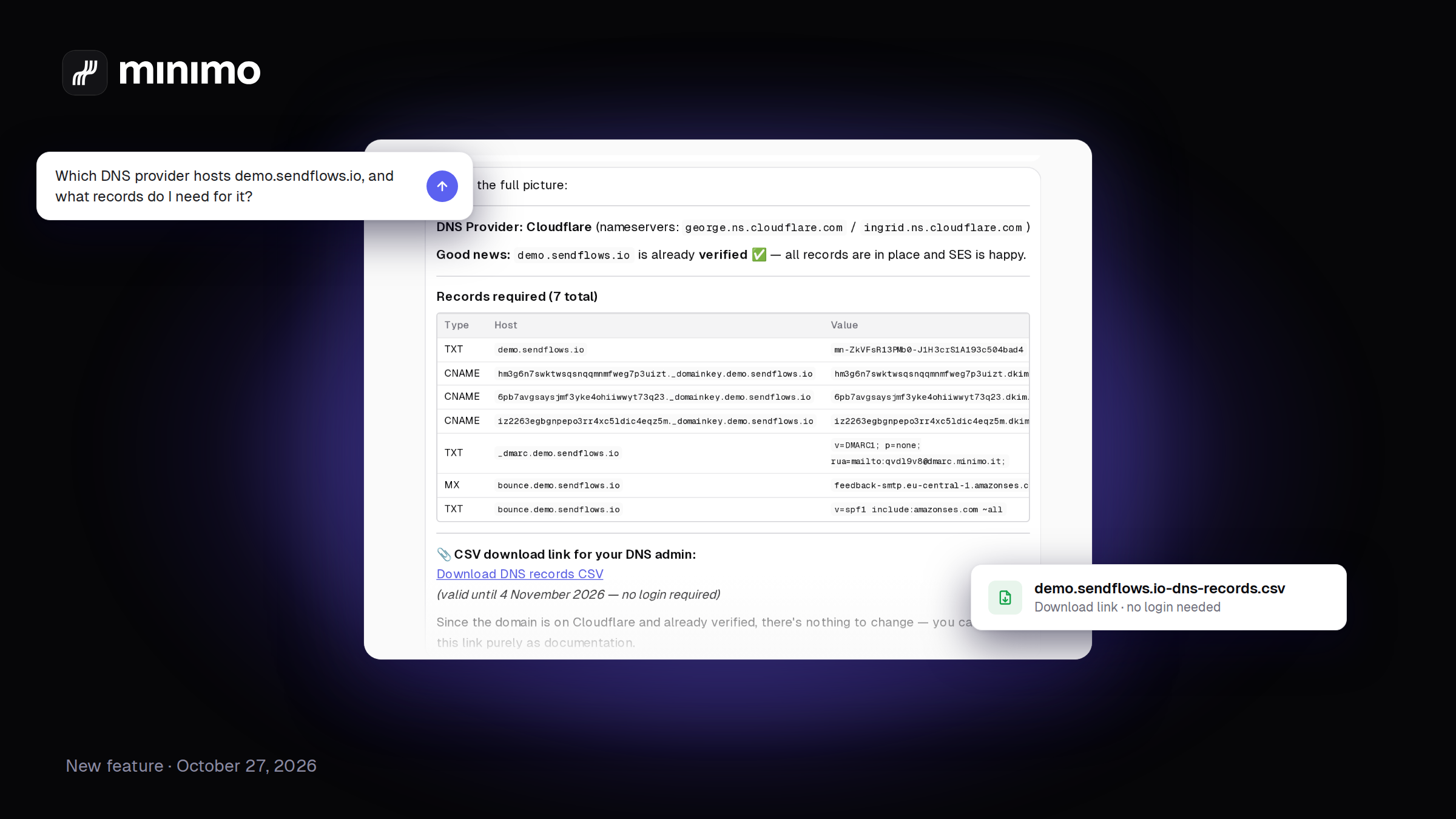
Setting up a sending domain used to mean finding the right page, copying DNS records one by one and explaining them to whoever manages your DNS.
Now you can ask Mo. Or, if you work in Claude, ChatGPT or another AI tool connected to the Minimo MCP server, you can ask it there.
Mo adds the domain to your workspace and lists every record it needs: ownership, DKIM, DMARC and the bounce records. It also checks your nameservers and tells you who hosts your DNS. On providers that support one-click setup, like Cloudflare, it gives you a link that adds the core records for you.
If someone else manages your DNS, Mo hands you a download link to a CSV with all the records. Anyone can open it without logging in, and it stays valid for a week.
Once the records are in place, Minimo verifies the domain and you can start sending from it.
